Session, Arrangement & Mixer
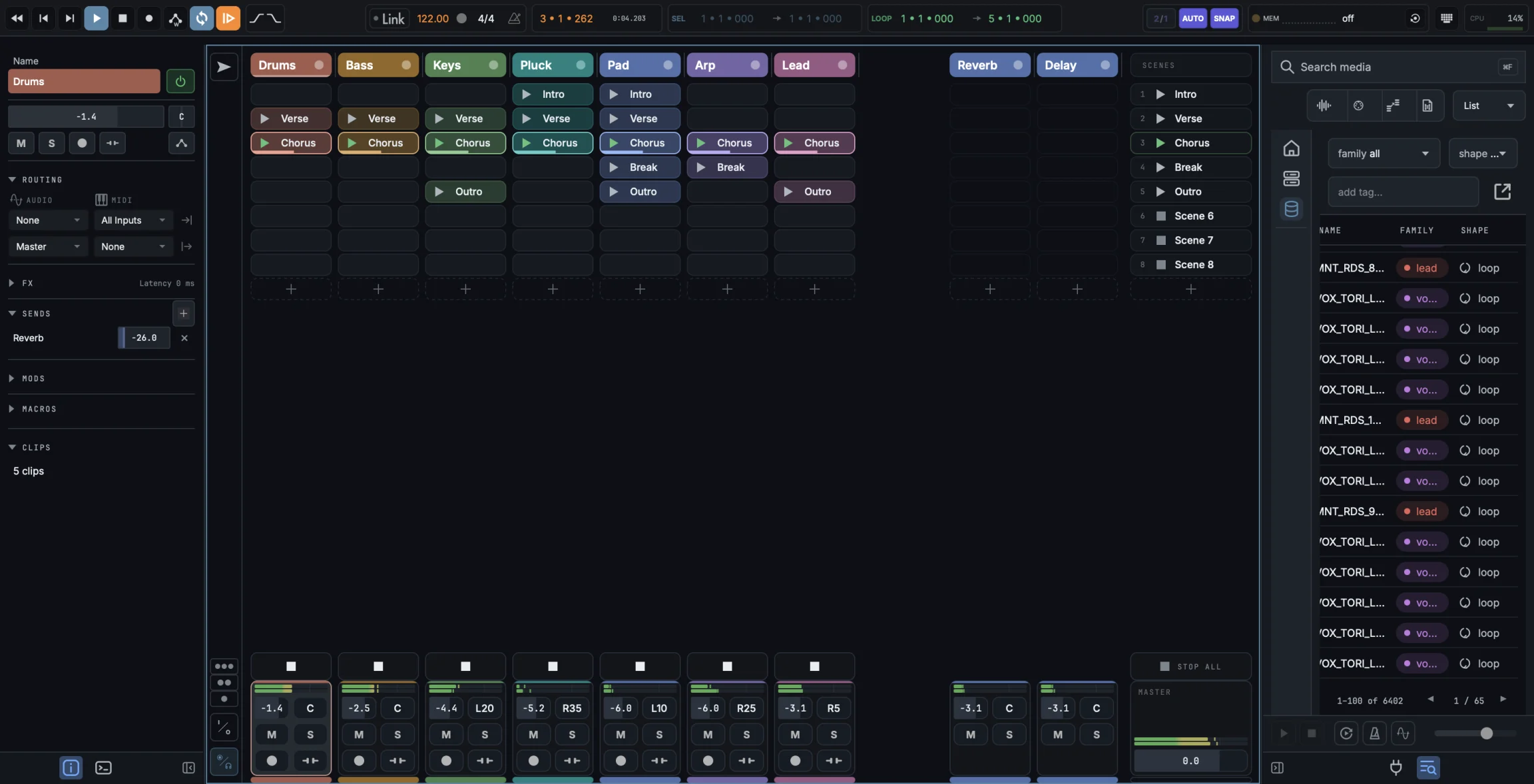
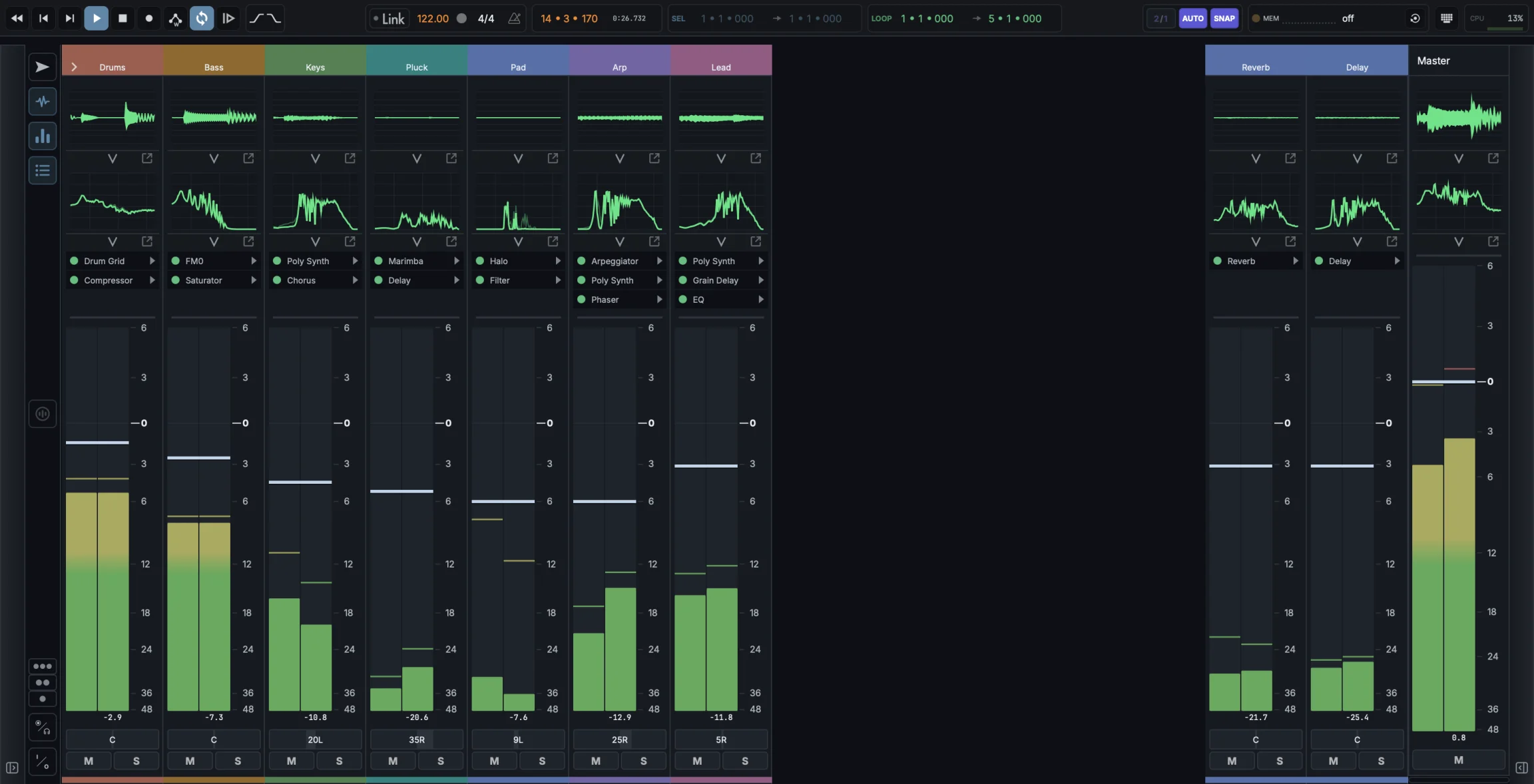
Three views on the same tracks: launch clips in Session, build the song in Arrangement, balance it in the Mixer.
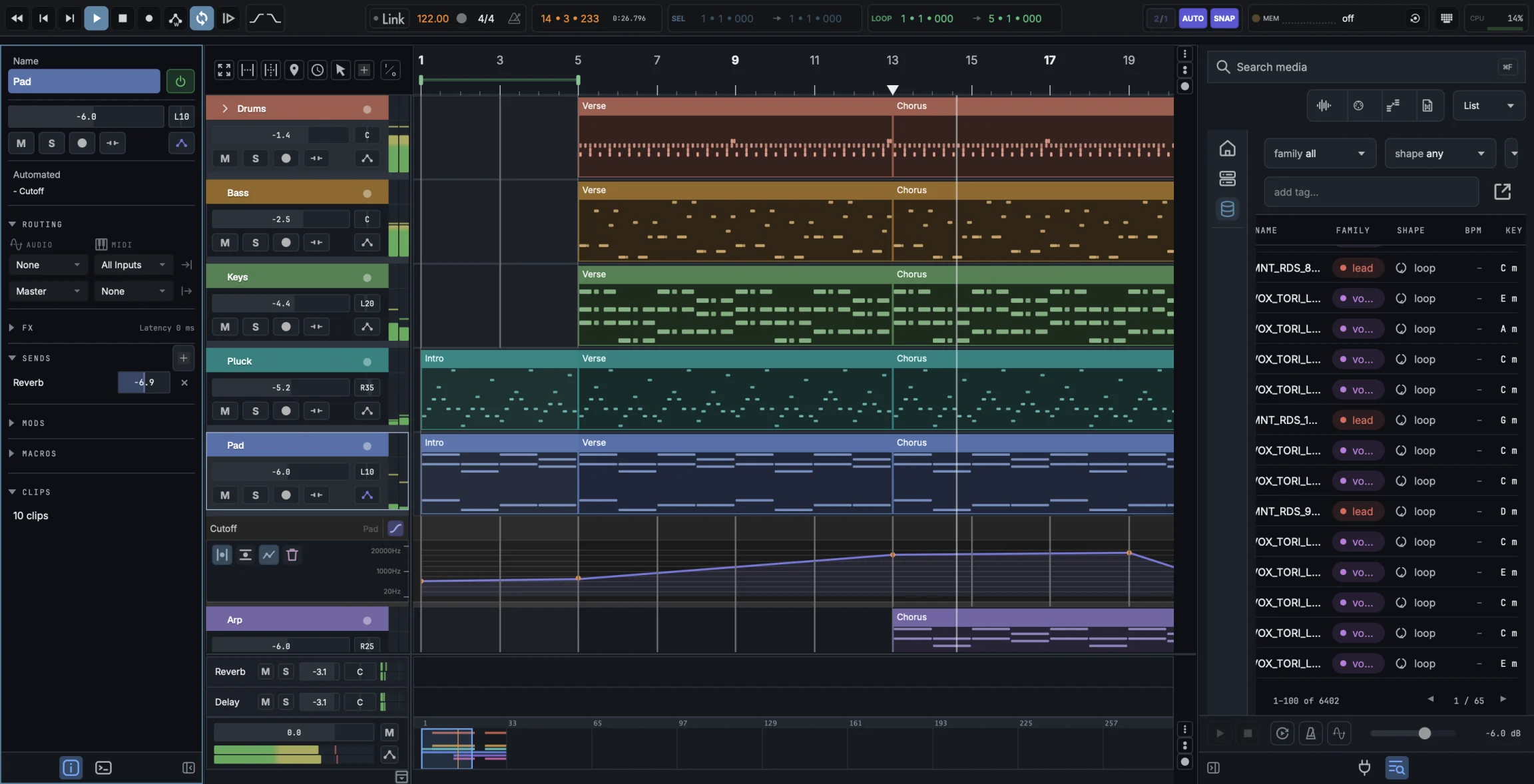
Three views, one project. Jam with clips and scenes in the Session view, lay the song out in the Arrangement, and balance it in the Mixer. They are all views of the same tracks, and every track takes both audio and MIDI.
v1 redraws all three. The transport is a single row, with the selection and loop ranges side by side, and the tools strip above the timeline is gone. Session View fits two to three times as many scenes on screen, devices sit in a compact chain under the view, and three width buttons set every channel in Session and the Mixer to narrow, medium or wide.
The arrangement gets edit tools: Pointer, Pencil, Slice, Glue and Erase, on keys 1 to 5. Hold a key to switch only while it's held, or press T for the tool palette at the mouse. The MIDI editor shares the same tools. Track colours can run down the header's spine or fill it, and mute and solo can be icons or letters.
There are new kinds of track too. The chord track sits at the top of the arrangement and far left in Session and the Mixer. Aux tracks pin to the right, beside the master, and separator tracks break a long session into named sections in every view.
- Clip and scene launching in Session View
- One-row transport, with selection and loop ranges side by side
- Pointer, Pencil, Slice, Glue and Erase tools on keys 1–5
- Chord, aux and separator tracks
- Narrow, medium and wide channel presets in Session and the Mixer
- Loop-record takes and comping, for audio and MIDI