Connections
Let other software in: an MCP endpoint for AI hosts, a WebSocket API for scripts and surfaces, OSC for tablets and desks, and Ableton Link and MIDI clock for timing.
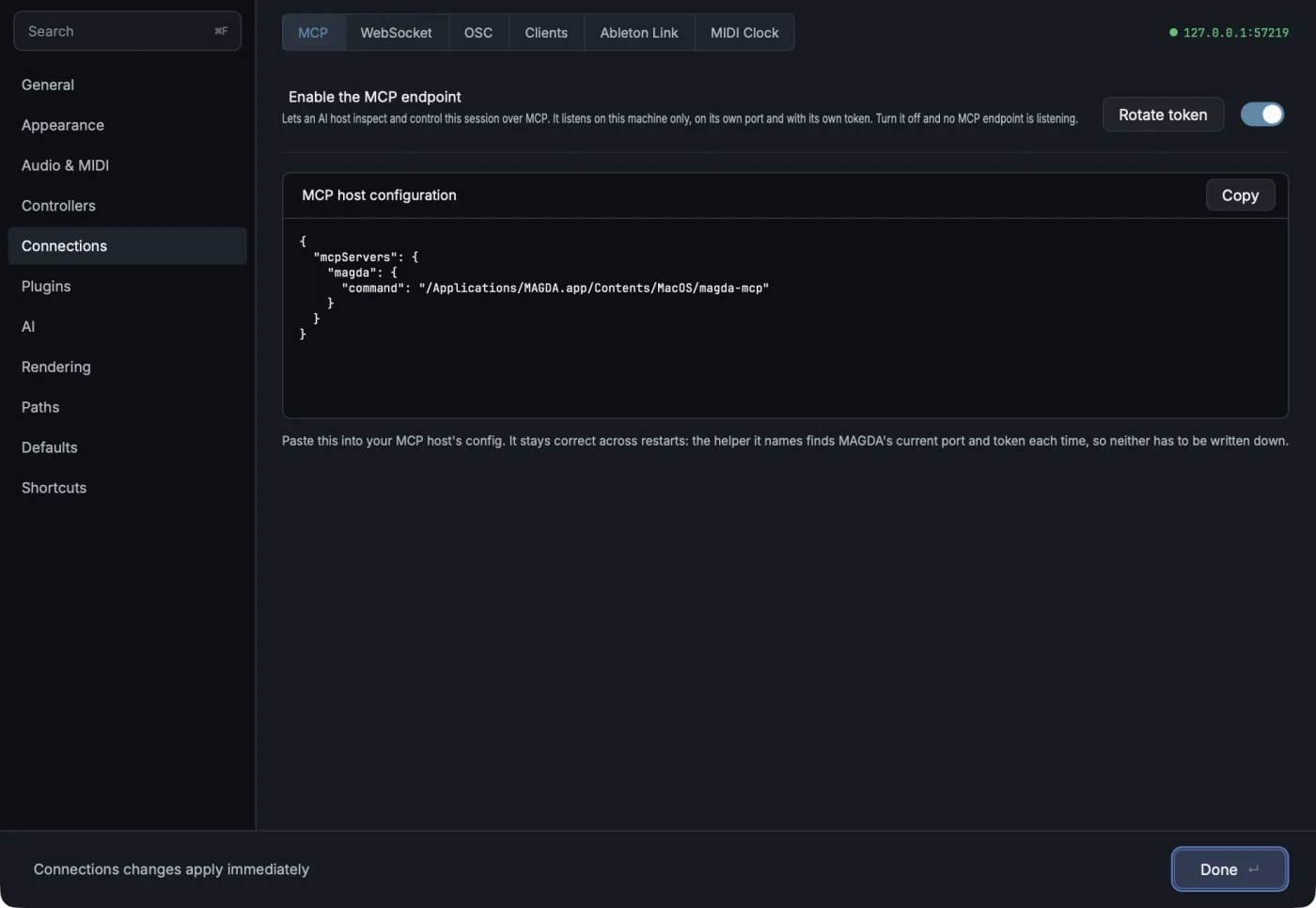
Settings › Connections is where you decide what may drive MAGDA from outside it. Each way in has its own switch, and none of it is specific to AI: an assistant is one kind of client, and a Lua script or a home-made controller is another.
MCP. Turn on the MCP endpoint and MAGDA writes the exact config to paste into an AI host, with a Copy button. The helper it names finds MAGDA's current port and token every time, so the config keeps working across restarts.
WebSocket. Scripts, custom tools and control surfaces connect to the WebSocket API. It serves the same operations as MCP and pushes changes back as they happen, but it has its own switch, port and token, so you can run either without the other. Name your client in the URL and it gets a row of its own on the Clients tab.
Clients and permissions. A client starts out read-only. On the Clients tab you tick what each one may do: edit the project, run the transport, launch session clips, or send to hardware MIDI ports. Changes apply at its next request, and a log underneath shows what was asked for and what was refused.
OSC. Point a tablet layout or a lighting desk at MAGDA. It understands a fixed set of addresses out of the box, so a stock mixer template works with no mapping, and it answers whoever is talking to it. OSC has no authentication, so you choose whether it listens on every network interface or only on this computer.
Ableton Link and MIDI clock keep MAGDA in time with Live, other Link apps and hardware: see Ableton Link & MIDI Clock.
The manual has the Remote API reference and the OSC address reference.
- MCP endpoint, with the host config written for you
- WebSocket API that pushes changes as they happen
- Separate switches, ports and tokens for MCP and WebSocket
- Per-client permissions: edit, transport, session, hardware MIDI
- OSC with a built-in address map, on all interfaces or this computer only
- Ableton Link and MIDI clock for sync