New in v1
Audio Editor
See a clip as a spectrogram, label what's in it, and draw its gain, with warp, fades and pitch beside it.
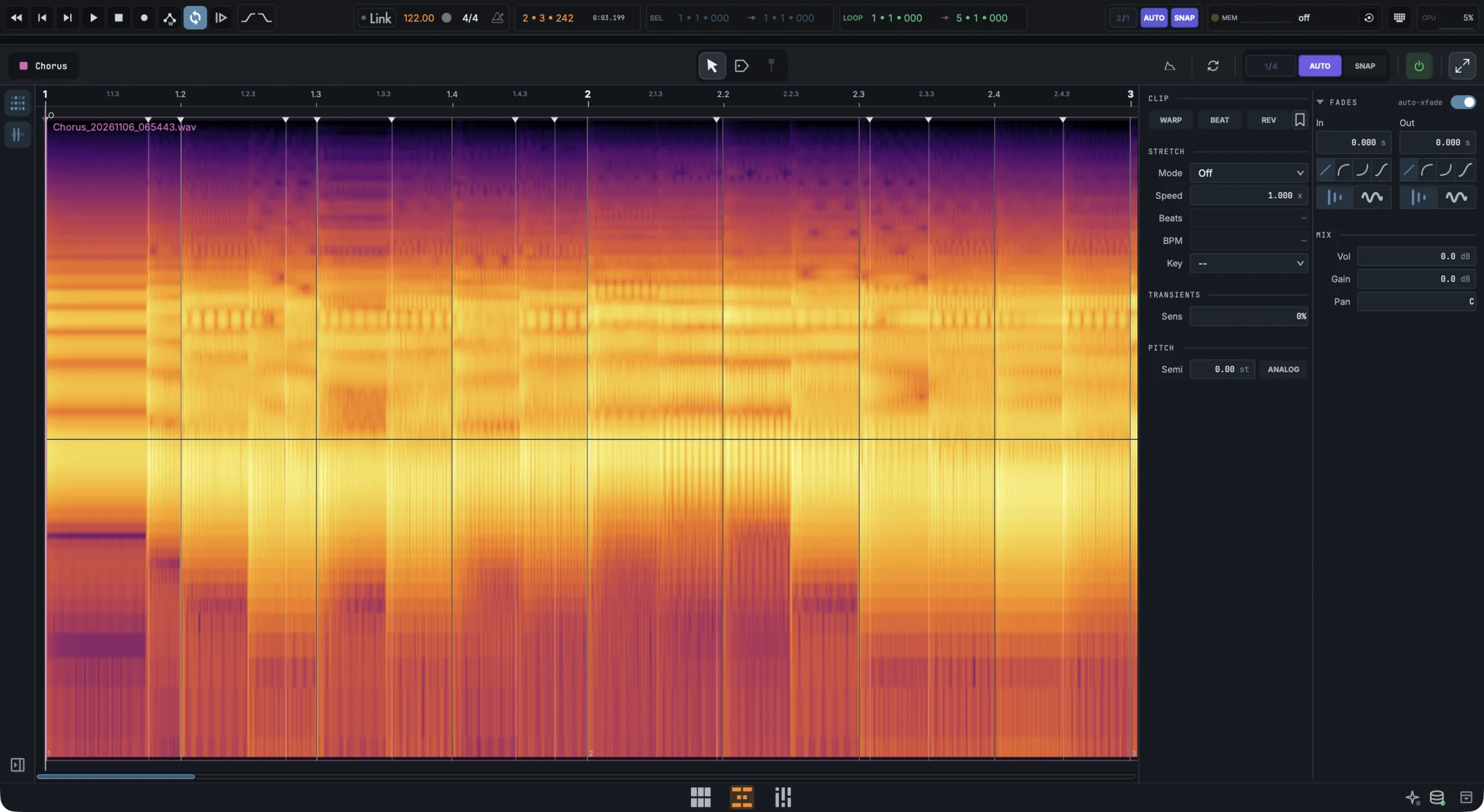
Spectrogram. A button on the editor's rail swaps the waveform for a spectrogram from 30 Hz to 20 kHz, so you can see the hum, the breath or the hat you want to cut before you go looking for it by ear. The choice holds for every clip you open.
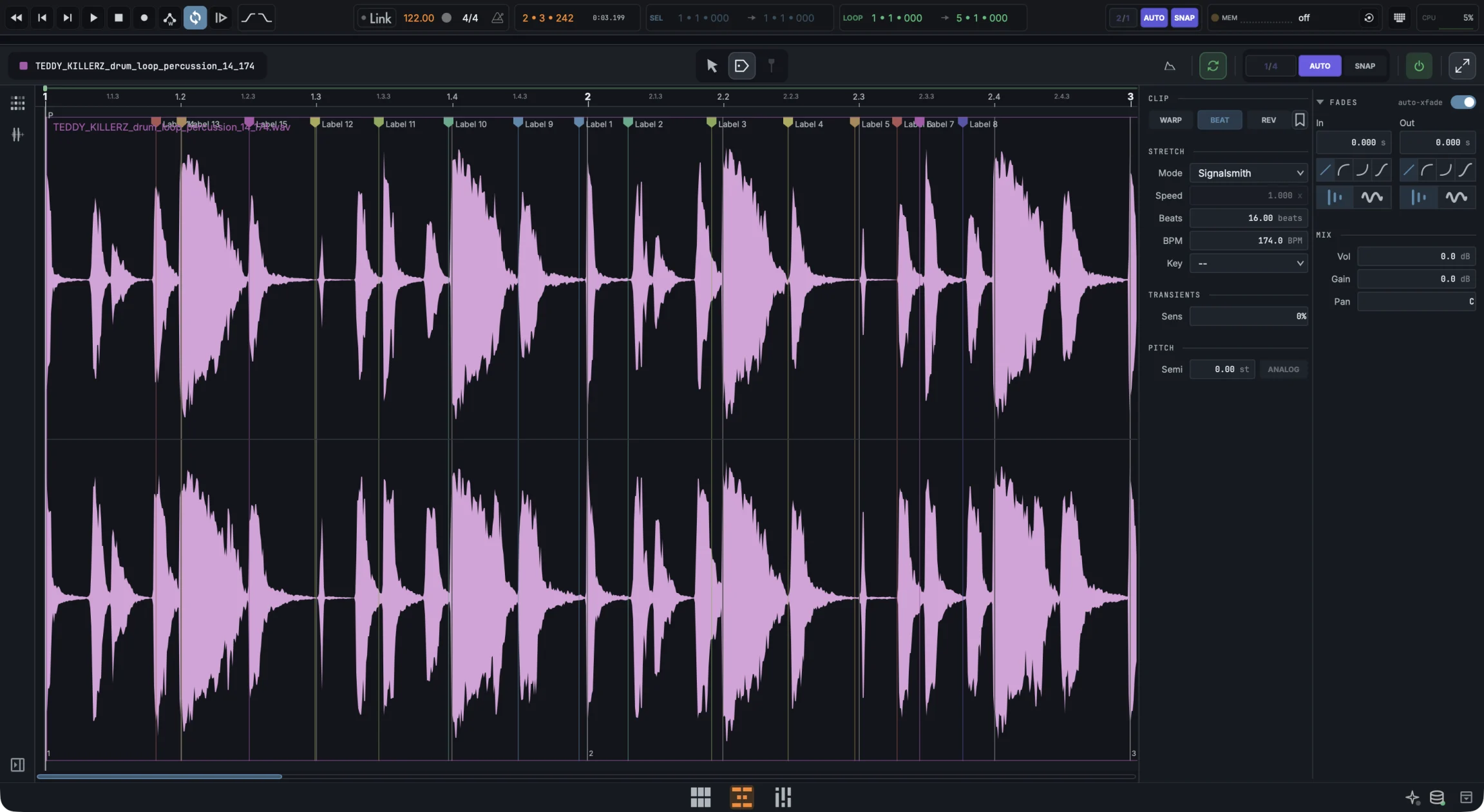
Labels. The Label tool puts named, coloured points and regions on the source: the downbeat, the take you liked, the bit to fix. They never touch playback, they're listed in the clip inspector, and they travel with the file in the media library.
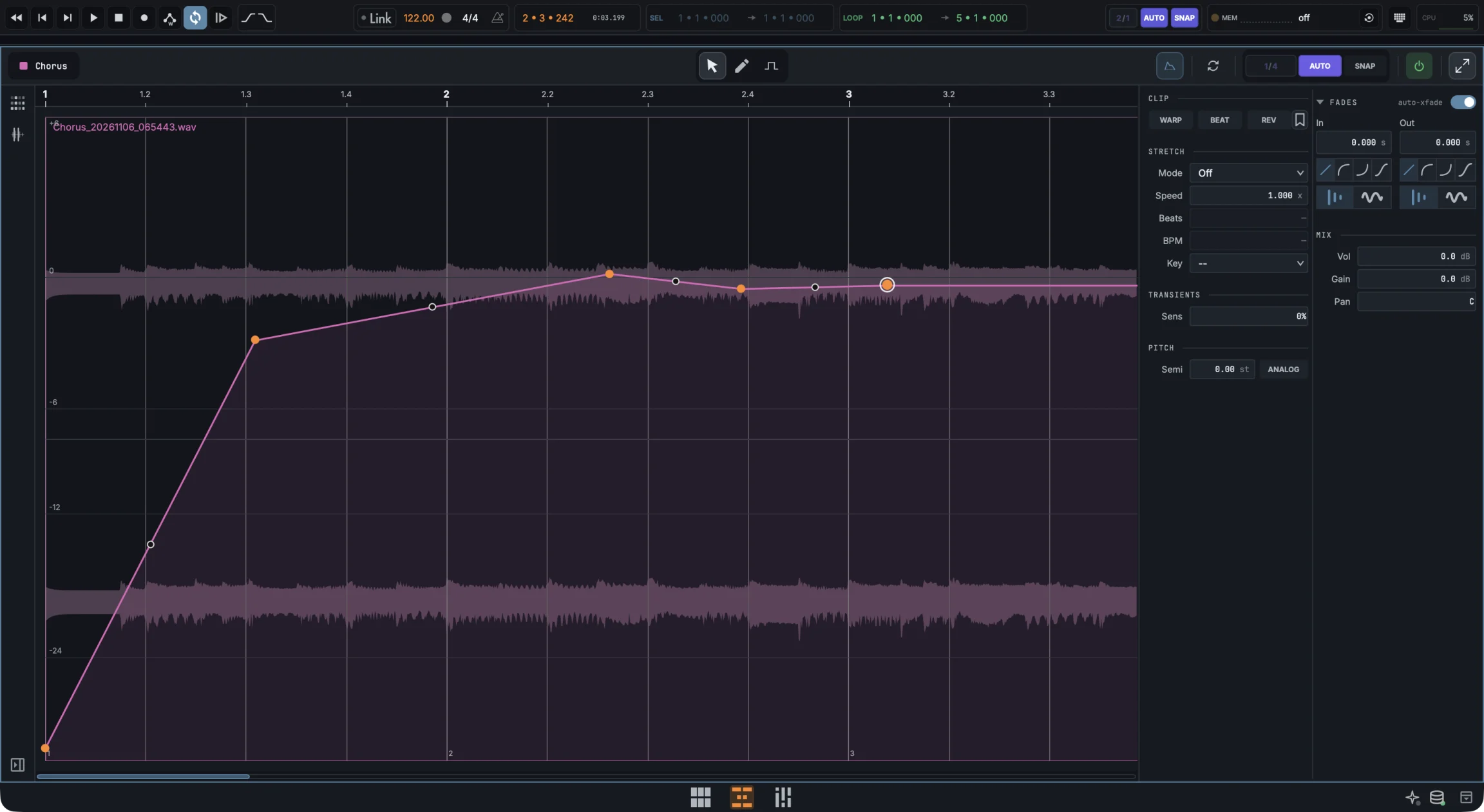
Gain envelope. Draw a gain curve on the clip, from silence up to +6 dB, with the line, pen and flat tools. It stays on the sound through warp, stretch, loop and reverse. Press E to show it on clips in the arrangement and edit it there too.
- Spectrogram view, 30 Hz to 20 kHz
- Named, coloured labels for points and regions
- Labels kept with the file in the media library
- Per-clip gain envelope, −∞ to +6 dB
- The envelope follows the sound through warp, stretch, loop and reverse
- Warp, beat mode, transients, fades and pitch in the editor's inspector